
How to Unlock All Parametric Models with Patreon
Everything on this site is made by one person: I draw the designs, build the parametric models and keep the generator running. Patreon is what makes this possible. Premium Supporters on Patreon get a key that opens all parametric models on vasily39.com — every size, every sheet thickness from 3 to 6.35 mm, and every new model that comes out while the key is active. This guide shows step by step how to get the key and use it.
What you get
- All parametric models on the site, not just one: set your own size and thickness and download ready-to-cut files as often as you like.
- New models included — every model released while your key is active opens with the same key.
- A fresh key every month, posted for Premium Supporters on Patreon.
- New files I draw for supporters, posted on Patreon.
- And the most important part: you help me keep drawing, building new models and keeping the generator running.
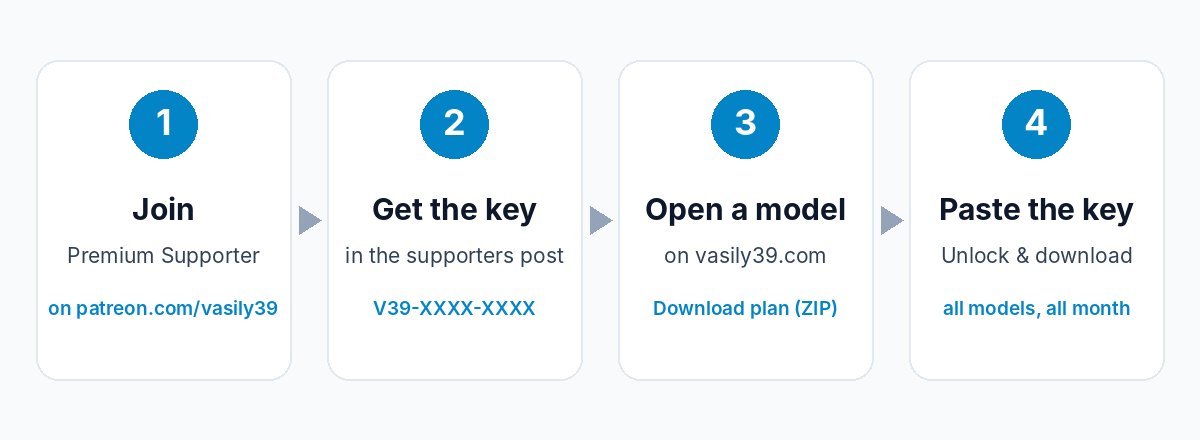
Step 1. Join on Patreon
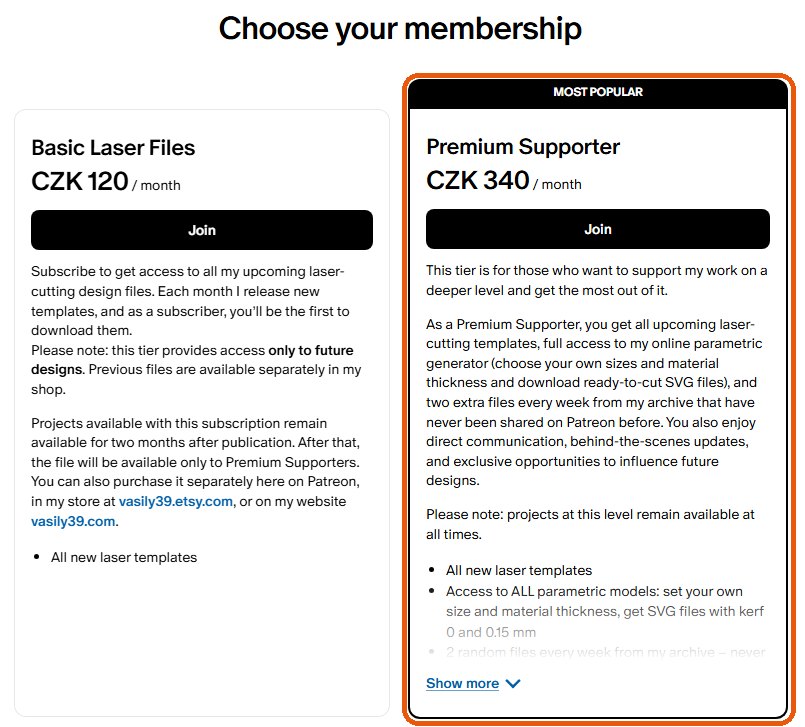
Open patreon.com/vasily39 or go to the access page on this site and click Join on Patreon. On the membership page choose the Premium Supporter tier — this is the tier that includes the studio key. Patreon handles the payment, and you can cancel at any time.
Step 2. Find your key
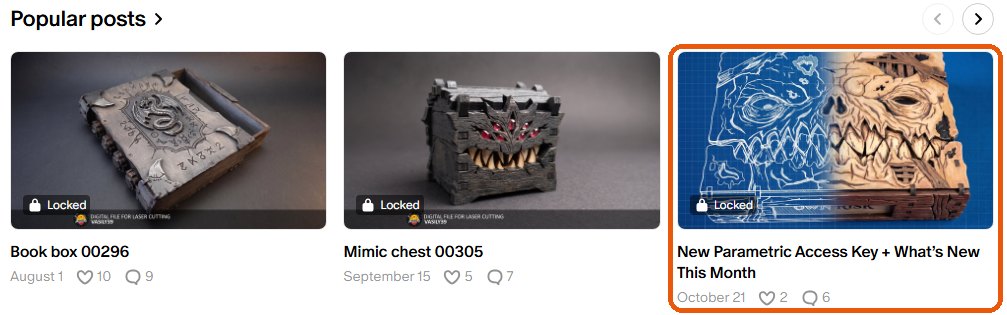
After you join, open my Patreon page and look at the posts. The key is posted for Premium Supporters every month in a post called New Parametric Access Key + What’s New This Month. It looks like this: V39-XXXX-XXXX. Copy it — you can copy it with or without the dashes, upper or lower case does not matter.
Tip: always take the key from the newest post. Each key works for about a month, and a new one is posted every month.
Step 3. Open any parametric model
Go to Catalog → Parametric and open any model marked All-Access. Set the size, choose your sheet thickness and press Download plan (ZIP). If you are not sure how the studio works, read How to Use Parametric Laser Cut Models first.
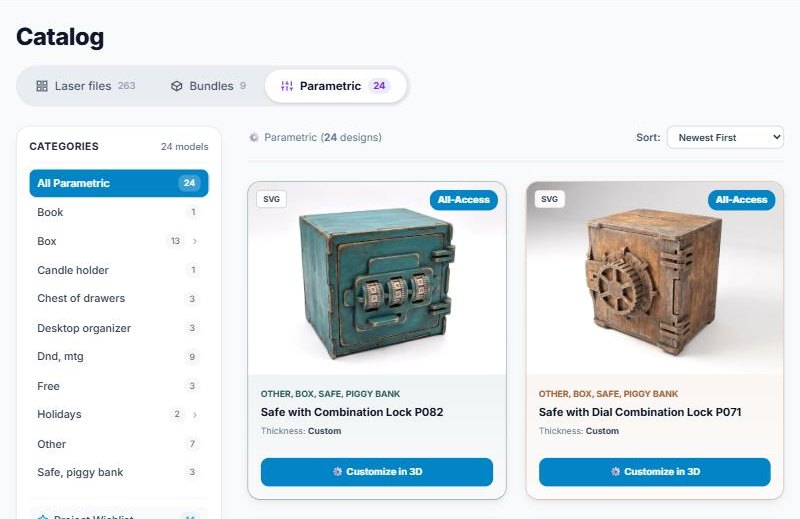
Step 4. Paste the key
The first time you press Download plan (ZIP), the Unlock the studio window opens. Paste your key into the field and press Unlock & download. Your file starts downloading right away.
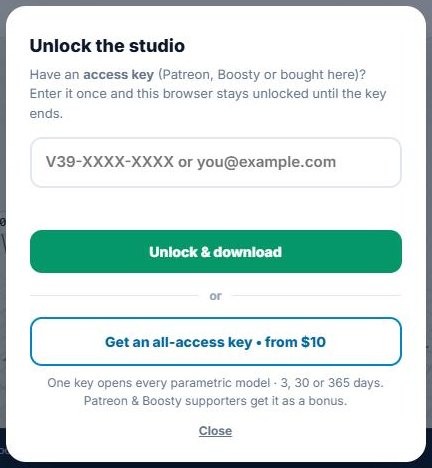
You enter the key only once: this browser stays unlocked until the key ends, and every All-Access model downloads straight away. Under the download button you see until when your key is active, and three days before it ends a reminder appears — then just take the new key from Patreon and enter it the same way.
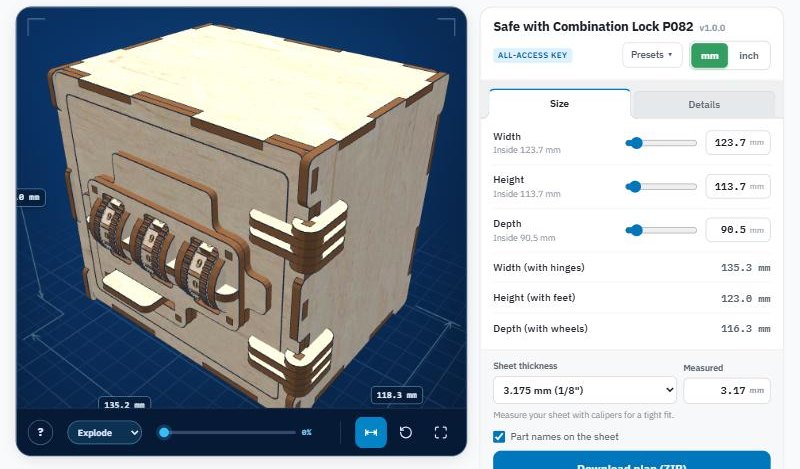
Using the key on another computer or phone
The unlock is saved in the browser. If you work on another computer, another browser or your phone, open any All-Access model there, press Download plan (ZIP) and enter the same key once more.
Common questions
- The key does not work. Check that you copied it completely and that it is from the newest post. An old key stops working when it ends.
- What happens if I stop my membership? The key you already have keeps working until it ends; you just will not get the next one.
- Do I need an account on vasily39.com? No. The key is enough.
- I do not use Patreon. You can buy a one-time key without a subscription for 3 days, 30 days or a year on the access page.
- Can I sell what I make? Yes, you can sell the finished products you cut. Reselling or sharing the files themselves is not allowed.
Thank you
Every supporter makes a real difference: your membership pays for the time it takes to draw new designs, turn them into parametric models and keep the site running. In return, I keep making tools and files that save you hours of drawing. Join on Patreon and unlock all parametric models today.